Planning a birthday party is exciting, but creating the perfect invitation card shouldn’t be stressful. Our free birthday invitation templates generator lets you design a stunning, personalized invitation in just a few clicks.
Whether you’re throwing a magical princess party for your daughter, a superhero bash for your son, or an elegant celebration for an adult milestone birthday, our tool offers 8 professionally designed templates you can fully customize with your party details.
Read: Birthday Card Generator with Name
Birthday Invitation Templates
Design a beautiful invitation in seconds — pick a template, customize & download
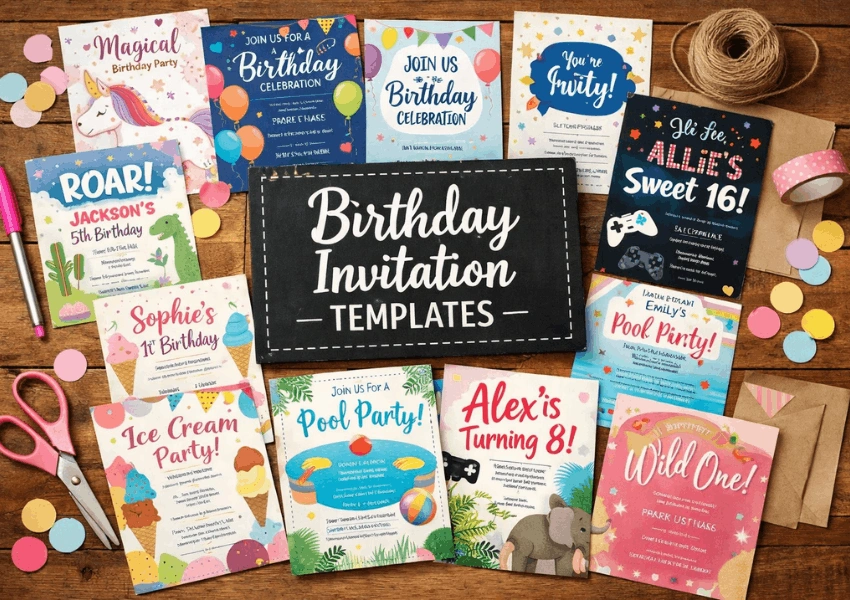
Features of Our Birthday Invitation Card Generator
🎨 8 Beautifully Designed Templates
Each template is crafted to match a popular birthday party theme. Simply click the one you like, and the live preview updates instantly:
| Template | Best For | Style |
|---|---|---|
| 👑 Princess | Girls’ parties, fairy-tale themes | Soft pink gradients, elegant cursive font |
| 🦸 Superhero | Action-packed kids’ parties | Bold navy & red, comic-book energy |
| 🌿 Enchanted Garden | Outdoor or nature-themed parties | Fresh green tones, floral vibes |
| 🌌 Galaxy | Space fans, sci-fi themes | Deep purple cosmos, glowing text |
| 🦁 Safari Adventure | Animal lovers, jungle themes | Warm amber and earthy browns |
| 🐠 Under the Sea | Beach or ocean-themed parties | Teal and cyan ocean gradients |
| 💡 Neon Glow | Teen & tween dance parties | Black background with neon glow effects |
| 🌹 Rose Gold | Elegant adult celebrations | Dark navy with luxurious gold accents |
✏️ Full Customization Options
Every detail of your invitation card is customizable to make it truly yours:
- Celebrant’s name displayed in a beautiful decorative font
- Turning age prominently featured on the card
- Party date and time clearly formatted for guests
- Venue and address multi-line support for full location details
- Dress code let guests know what to wear (optional)
- Host name show who is throwing the party
- RSVP date and contact so guests know how and when to respond
📱 Live Preview & Instant Download
As you type, the invitation card updates in real time so you can see exactly how it will look. When you’re happy with the design, click “Download Invitation Card” to save a high-resolution PNG image that you can print or share digitally.
How to Use the Birthday Invitation Templates Generator
Creating your invitation takes less than two minutes. Here’s a simple step-by-step guide:
- Choose a template: Click one of the 8 theme buttons to select a card design that matches your party theme.
- Enter the celebrant’s name and age: The name will appear in a decorative font at the center of the card.
- Fill in party details: Add the date, time, venue, and address so your guests know where to go.
- Add optional details: Include a dress code if your party has a theme, and add your name as the host.
- Set up RSVP information: Enter a deadline date and your contact details (phone number or email).
- Preview and download: Check the live preview at the top, then click the download button to save your card as a high-quality PNG image.
Why Use a Birthday Invitation Templates Generator?
Gone are the days of spending hours in complex design software or paying a graphic designer for a simple party invite. Here’s why our free online generator is the smarter choice:
- Saves time: Create a professional-looking invitation in under 2 minutes
- Completely free: No hidden charges, no watermarks, no sign-up required
- No design skills needed: Just fill in a form and the tool does the rest
- Professional quality: Templates designed with modern aesthetics and beautiful typography
- Shareable anywhere: Download as PNG and send via any messaging app, email, or social media
- Print-ready: High-resolution output suitable for home or professional printing
- Works on any device: Create your invitation from your phone, tablet, or computer
Birthday Invitation Wording Ideas
Struggling with what to write on your invitation? Here are some wording ideas organized by age group to help spark your creativity:
For Kids (Ages 1–12)
“Come join the fun as [Name] turns [Age]! There’ll be cake, games, and lots of surprises. We can’t wait to see you there!”
“It’s a magical celebration! [Name] is turning [Age] and you’re invited to the most enchanting party of the year.”
For Teenagers (Ages 13–19)
“Get ready to party! 🎉 [Name] is turning [Age] and it’s going to be epic. Don’t miss out – mark your calendar!”
“You’re officially invited to [Name]’s [Age]th birthday bash. Good vibes, great music, and amazing food guaranteed.”
For Adults (Ages 20+)
“Please join us in celebrating [Name]’s [Age]th birthday. An evening of good company, fine food, and wonderful memories awaits.”
“You are cordially invited to a milestone celebration as [Name] turns [Age]. Your presence would make the occasion truly special.”
Tips for Creating the Perfect Birthday Invitation
1. Include All Essential Information
Every birthday invitation should clearly state the who, what, when, where, and how to respond. Our generator includes dedicated fields for each of these, so you won’t accidentally leave anything out.
2. Match the Theme to the Party
If you’re throwing a princess-themed party, use our Princess template. Having a glow-in-the-dark dance party? The Neon template is perfect. A cohesive theme across your invitation, decorations, and activities creates a more memorable experience.
3. Send Invitations 2–3 Weeks in Advance
Give your guests enough time to plan. For children’s parties, 2 weeks is usually sufficient. For adult celebrations or milestone birthdays, aim for 3–4 weeks in advance.
4. Set a Clear RSVP Deadline
Knowing your guest count helps with food, seating, and party favors. Set your RSVP deadline at least 5–7 days before the party so you have time to finalize arrangements.
5. Mention the Dress Code
If your party has a specific theme or level of formality, let guests know on the invitation. Whether it’s “Wear Your Best Princess Dress” or “Smart Casual,” a dress code helps guests feel confident and adds to the atmosphere.
Frequently Asked Questions
Is this birthday invitation templates generator free to use?
Yes, the tool is completely free. There are no hidden charges, no watermarks on downloaded images, and no account or sign-up required. Simply customize your card and download it.
Can I print the invitation card?
Absolutely. The download produces a high-resolution PNG image at 2x scale, making it perfectly suitable for home printing or professional print services. For best results, print on cardstock or glossy photo paper.
What file format is the downloaded invitation?
The invitation card downloads as a PNG image file. PNG is universally compatible and maintains excellent quality. You can open, share, or print it from any device.
Can I use this tool on my phone?
Yes, the birthday invitation card generator is fully responsive and works on all devices – smartphones, tablets, laptops, and desktop computers. The interface adapts to your screen size automatically.
How do I share the invitation with guests?
After downloading the PNG image, you can share it through any channel: WhatsApp, iMessage, Facebook Messenger, Instagram DMs, email, or even print and hand-deliver it. The digital format makes it easy to send to large groups instantly.
Can I create multiple invitations with different designs?
Yes! You can switch between all 8 templates as many times as you like and download a different version each time. This is useful if you want to send different themed invitations to different groups of guests.
Do I need any design software or skills?
Not at all. The generator is designed to be beginner-friendly. Simply fill in the text fields, choose a template, and your professional-looking invitation is ready. No Photoshop, Canva, or design experience needed.
What age groups are these templates suitable for?
Our templates cover all age groups. The Princess, Superhero, Safari, and Ocean themes are ideal for children’s parties. The Galaxy and Neon templates work great for teens. And the Rose Gold and Garden themes are perfect for elegant adult celebrations and milestone birthdays.
Final Words!
Use our free birthday invitation templates above to create unique invitation cards and send them to your loved ones.
All these templates are editable and free to download and print.

Hi, I’m Usama, the person behind this little corner of birthday joy. Over the years, I’ve written and edited hundreds of birthday messages for different relationships, tones, and occasions. My goal is to help readers find words that sound personal, warm, and natural.